connect PT100 to ADAM4015
Using an ohmmeter, find the wires between which a resistance is present
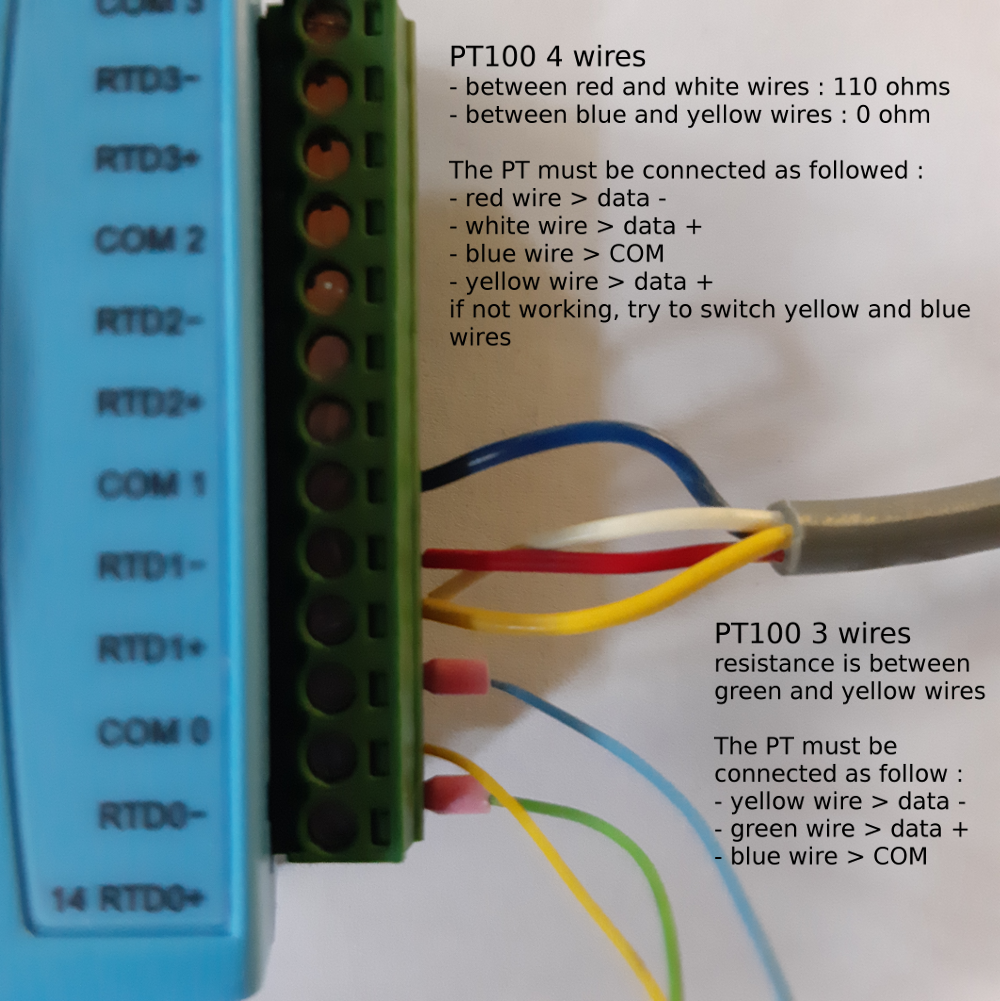
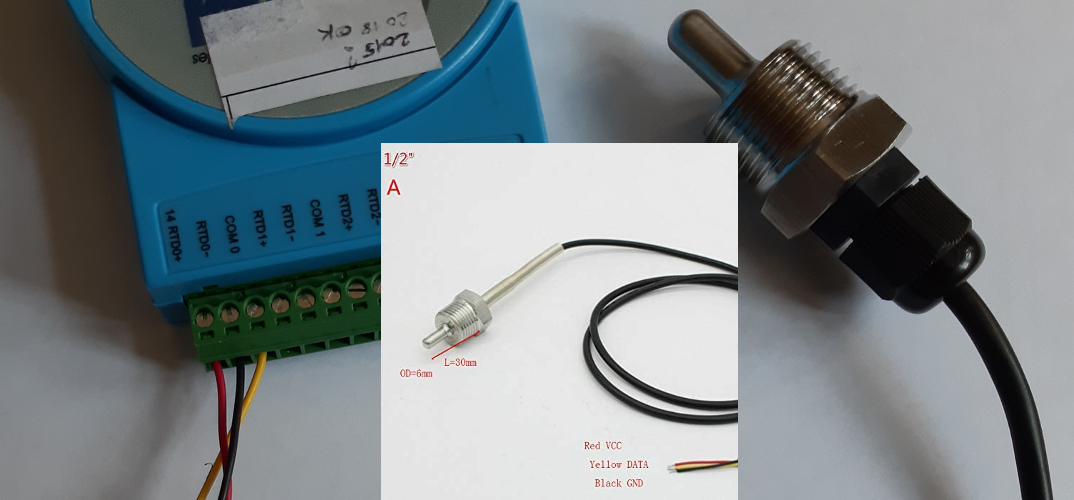
many PT100 follow a specific color code and you dont need an ohmmeter :
- red = VCC > RTD+
- black = GND > RTD-
- yelow = DATA > COM
Configure ADAM4015 for operation on a RS485 network
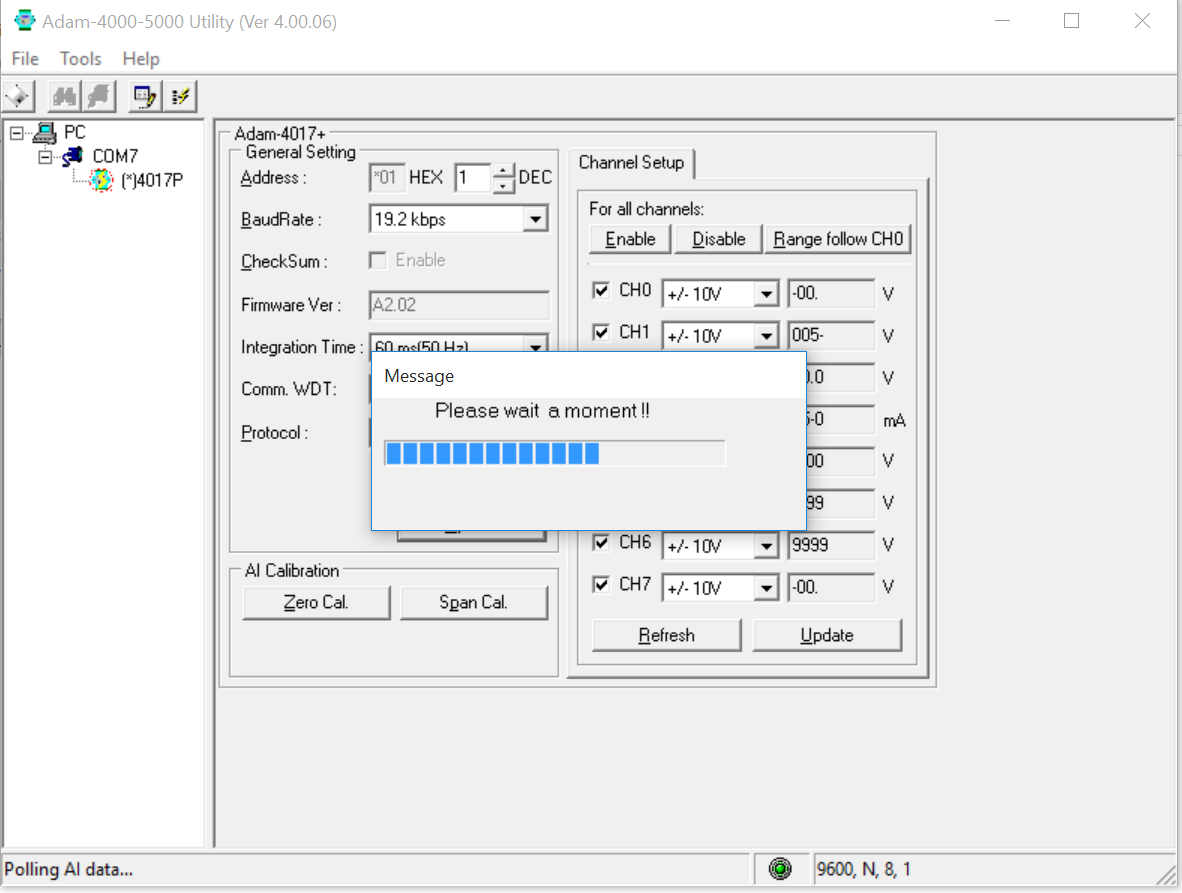
For ADAM configuration, Advantech provides the ADAM utility
Init mode
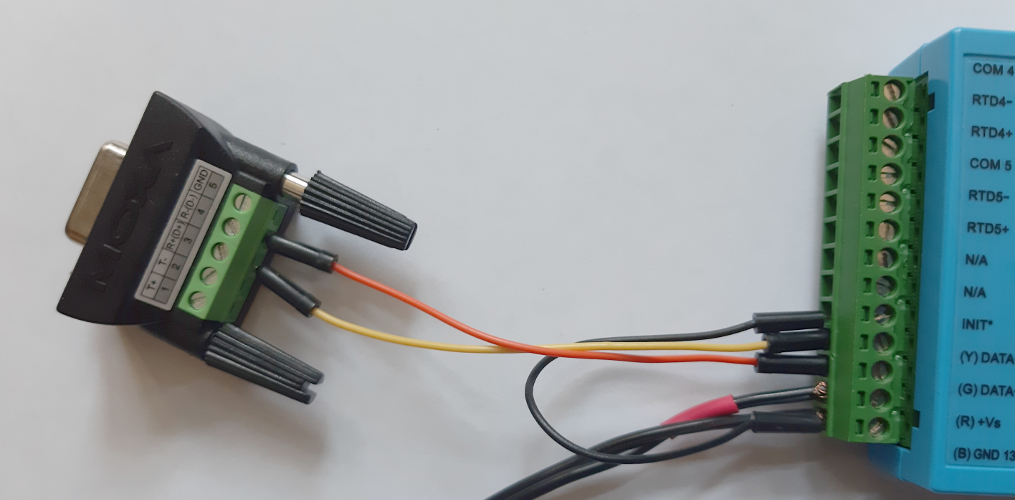
Booting the ADAM4015 in Init mode can be done by using the specific switch on recent models or by connecting the init terminal to the GND terminal
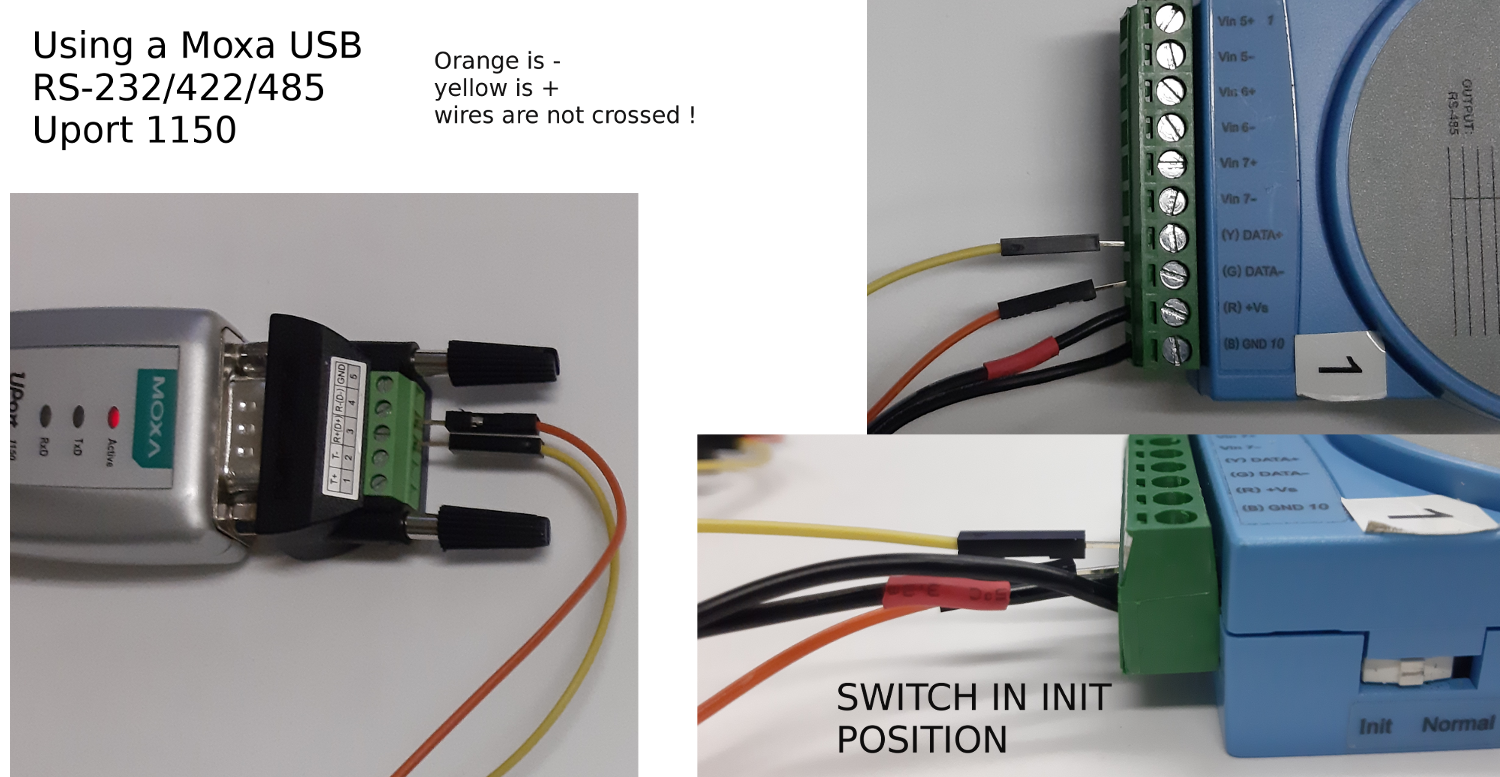
connect all the wires on the green terminal block, plug the block in the module, with the switch in INIT mode and power on with a 12v AC-DC alimentation !
Init mode on an older model, without switch
Configure with ADAM utility
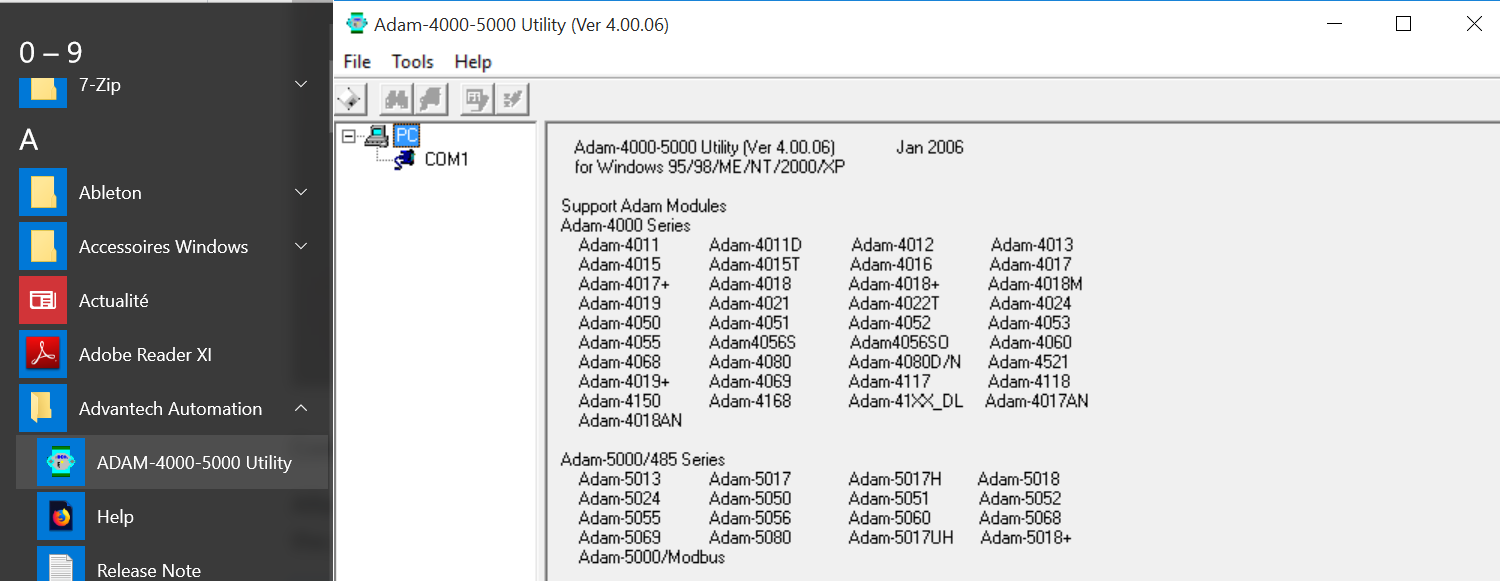
With the Adam in init mode, you dont have to care about baudrate : keep the factory settings of ADAM utility
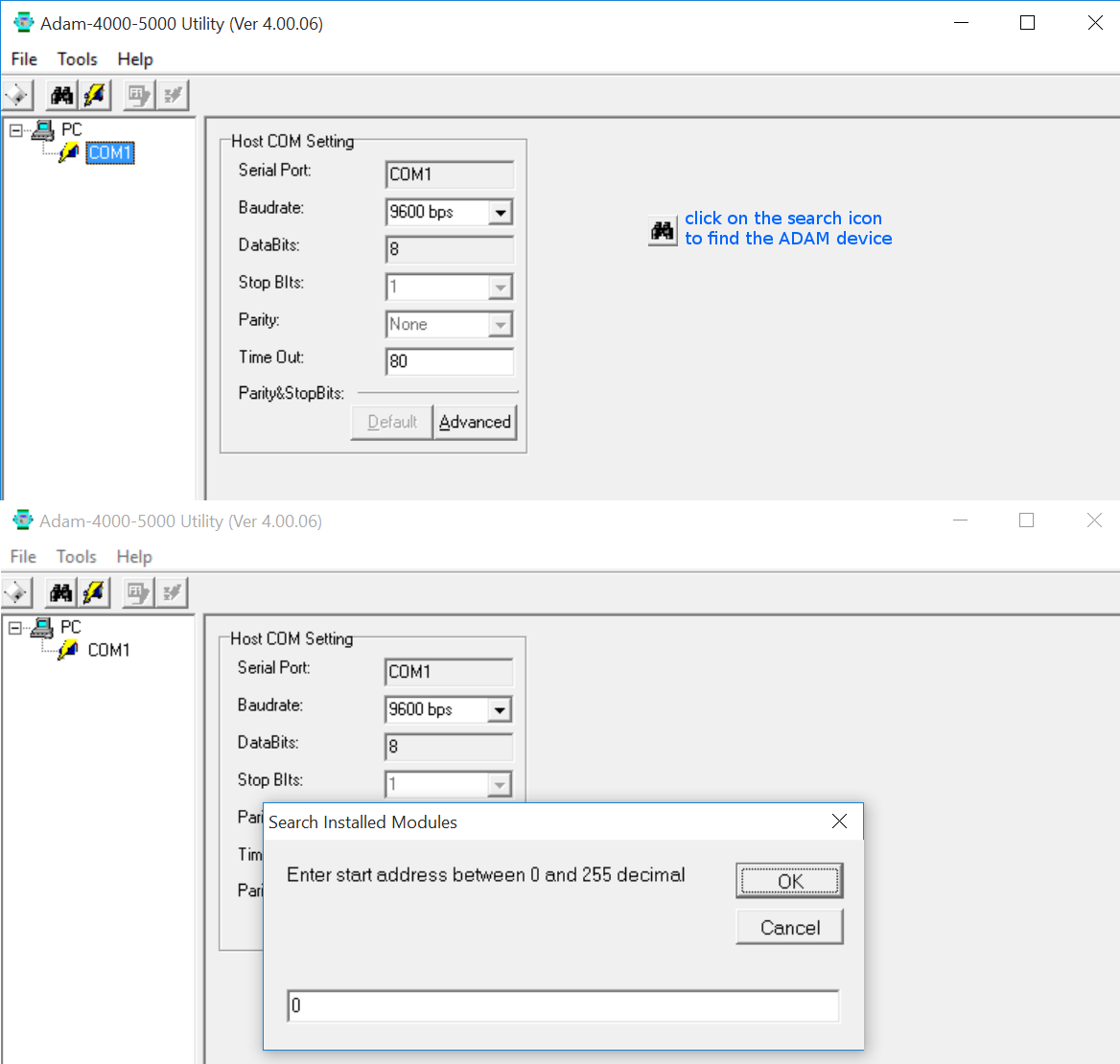
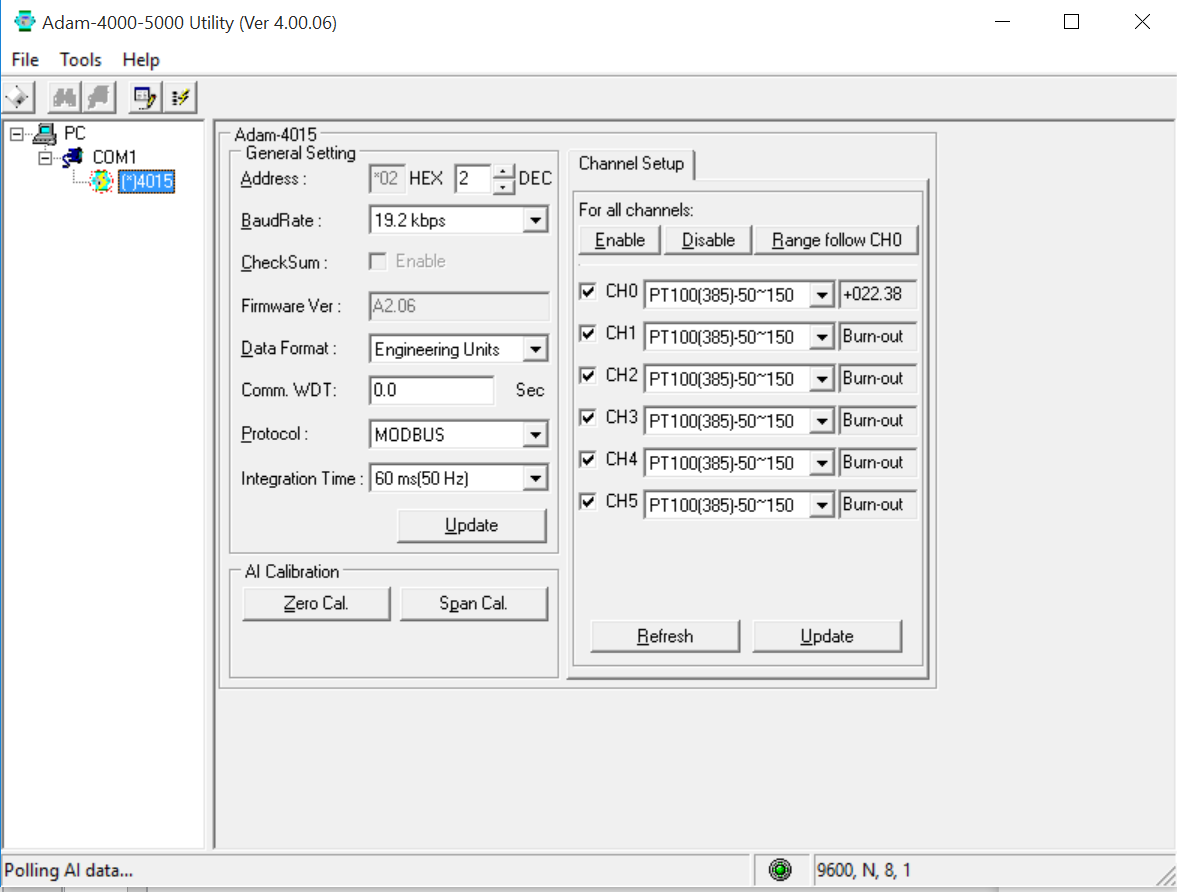
After the device discovered :
- fix the address if you have more than 1 element on your modbus network,
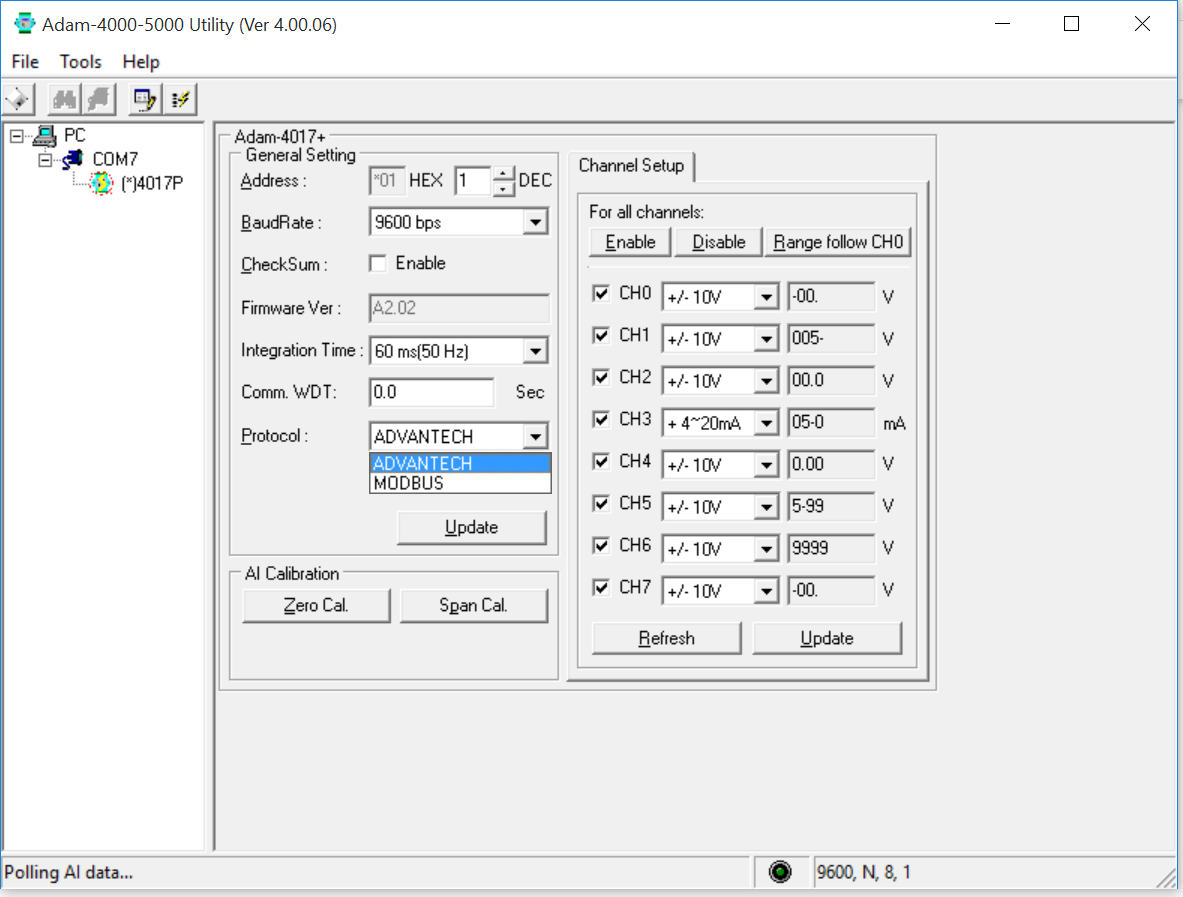
- choose modbus for the protocol,
- for RTD PT100, fix data format to Engineering Units
- choose 19.2 Kbps for the baudrate
Validate the confuguration by pressing update (in the ‘General Setting’ section)
Working with engineering units will require a single conversion :
Value = input_range * Modbus_decimal_raw_data / 65535 + lower_value_of_the_input_range
for PT100(385) working between -50°C and °150°C, the conversion formula is :
Value = 200 * Modbus_decimal_raw_data / 65535 - 50
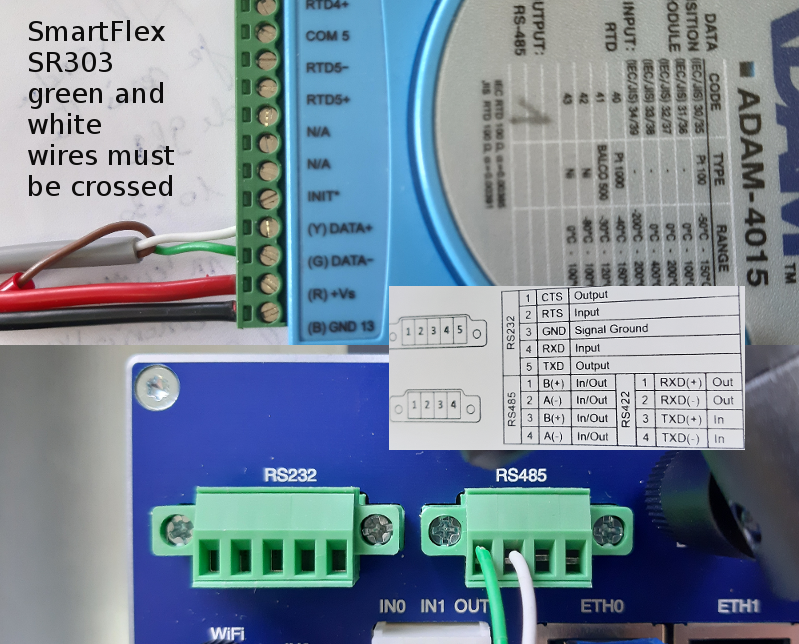
connect ADAM4015 to Smartflex
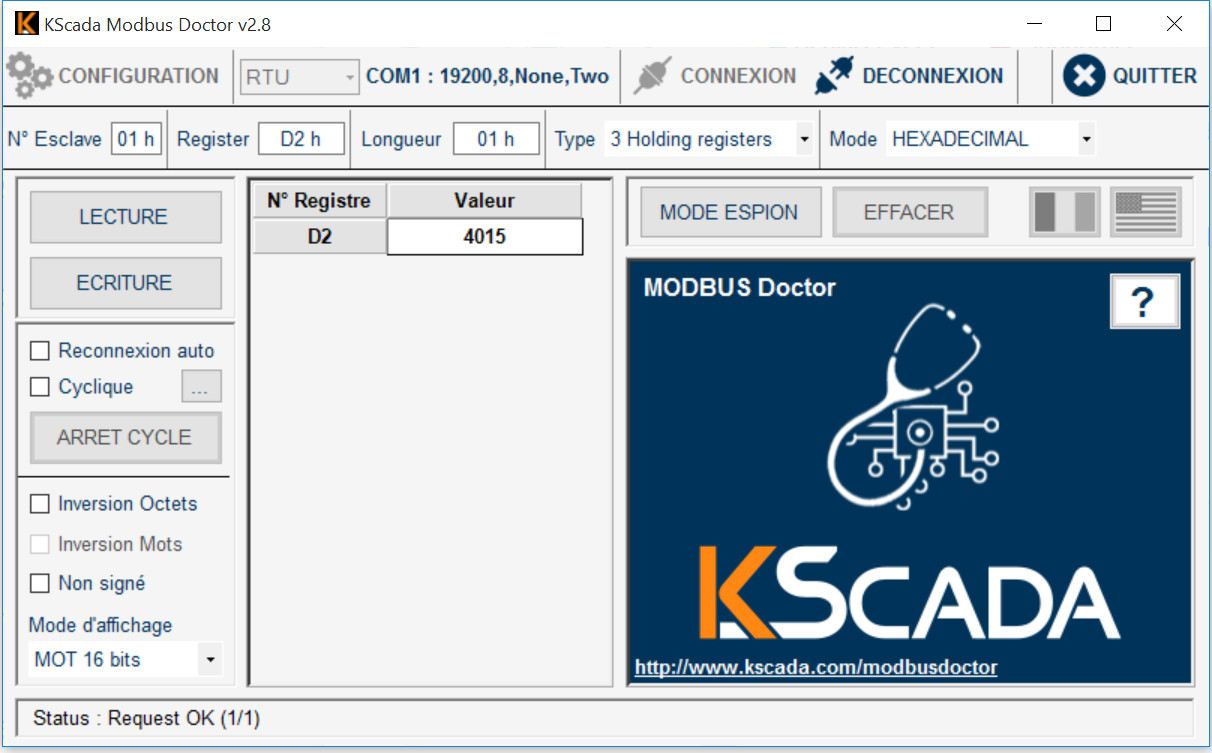
Go back to normal mode and test if communication is OK for example with modbus doctor. Even without any sensor, you can check th module type :
emonhub configuration
create a modbusTCPinterfacer
[[ModbusTCP]]
    Type = EmonModbusTcpInterfacer
    [[[init_settings]]]
        modbus_IP = 192.168.1.1
        modbus_port = 503
    [[[runtimesettings]]]
        nodeId = 11
        pubchannels = ToEmonCMS,
        # time in seconds between checks, This is in addition to emonhub_interfacer.run() sleep time of .01
        interval = 10
node section example in emonhub :
[[11]]
    nodename = PT1000
    [[[rx]]]
       names = CH0,CH1,f1,f2
       registers =1,2,211,212
       datacode = H
       scale = 1
for register numbers, check doc on ADAM4015 on Advantech website
| parameter | register for emonhub | register for modbusdoctor |
|---|---|---|
| channel 0 | 1 | 0 |
| channel 1 | 2 | 1 |
| channel 2 | 3 | 2 |
| channel 3 | 4 | 3 |
| channel 4 | 5 | 4 |
| channel 5 | 6 | 5 |
| channel 6 | 7 | 6 |
| channel 7 | 8 | 7 |
| module name 1 | 211 | 210 or D2h |
| module name 2 | 212 | 211 or D3h |